

✅ Type your search > Press Tab > Then press Down Arrow to highlight results.
Hit Enter to open the highlighted result.
Saves mouse clicks and improves browsing flow.
Great for quick searches on the fly!
#SearchFaster #GoogleTricks #ShiftTips
You May Read This
-
SSD vs HDD Comparison: Which Storage Drive is Best for You in 2025?
In today’s digital world, choosing the right storage for your computer is crucial. Two of the most common options are […]
-
✅ ShiftTips #041: Instantly Minimize All Other Windows
Focus on one window by minimizing all others with one shortcut.
-
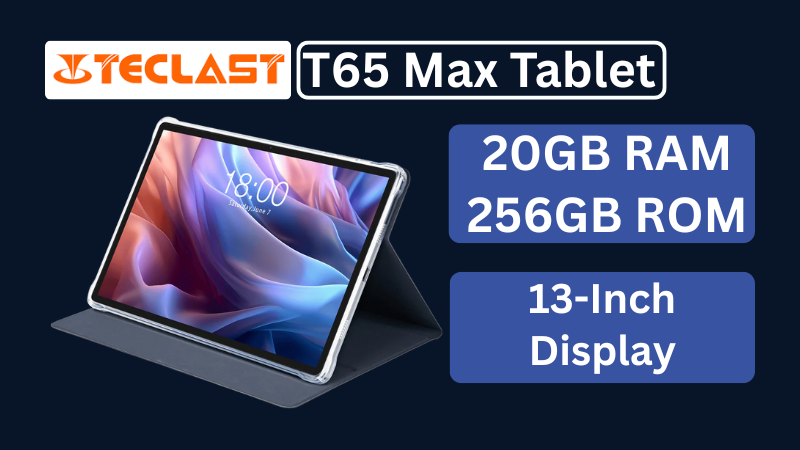
Teclast T65Max Tablet Review: A Feature-Rich 13-Inch Android Tablet on a Budget
The Teclast T65Max is a 13-inch Android tablet packed with features like 4G LTE, Helio G99 processor, Android 14, and a massive 10,000mAh battery — perfect for content creators and on-the-go users in 2025.
-
ShiftTips #021: Paste Without Formatting
Ctrl + Shift + V is a keyboard shortcut that pastes text without formatting, ensuring clean integration into documents or text fields across various applications.
-
✅ ShiftTips #052: Delete a File Without Sending to Recycle Bin
Want to delete something permanently? Skip the trash.
-
🔹 ShiftTips #002: Use Clipboard History in Windows
Win + V opens the clipboard history in Windows 10 and 11, letting you access and paste up to 25 previously copied items like text or images from hours earlier.


Popular Posts

10 Common Tech Beginner Mistakes: Everyone Should Know
Whether you’re a student, a working professional, or someone learning tech…

10 Pro Tricks on WhatsApp Text Formatting You Must Use
Whether you’re chatting with friends or sharing important messages in groups…
