Want a bird’s-eye view of your open windows and virtual desktops?
✅ Press Win + Tab to launch Task View
It shows all currently open apps and desktops side-by-side.
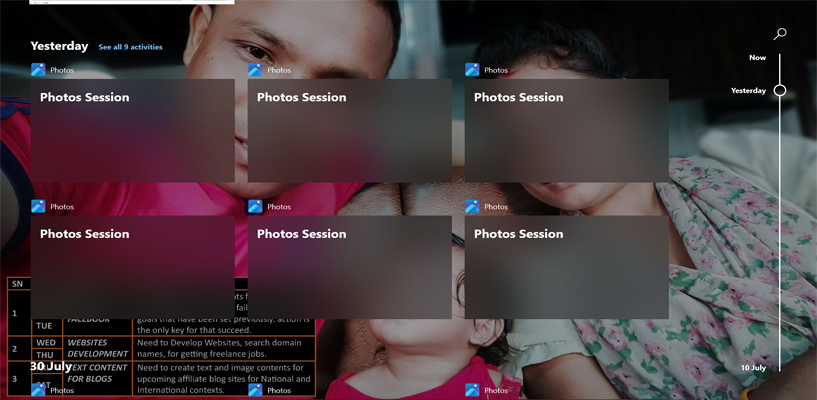
You can:
- Switch between tasks
- Create a new desktop
- Drag apps across desktops
Ideal for multitaskers who want clarity and control!
Try it now — it’ll change how you juggle tasks.
#TaskView #WindowsWorkflow #ShiftTips
You May Read This
-
✅ ShiftTips #052: Delete a File Without Sending to Recycle Bin
Want to delete something permanently? Skip the trash.
-
ShiftTips #010: Quickly Rename File Shortcut
The F2 key is a function key commonly used for quick editing tasks, such as renaming files in Windows File Explorer, editing cells
-
✅ ShiftTips #053: Create Desktop Shortcut Instantly
Turn any app or file into a desktop shortcut in seconds.
-
10 Pro Tricks on WhatsApp Text Formatting You Must Use
Whether you’re chatting with friends or sharing important messages in groups, knowing how to format text on WhatsApp can make […]
-
ShiftTips #007: Minimize All Windows Instantly
The Win + D keyboard shortcut in Microsoft Windows minimizes all open windows and applications to show the desktop.
-
10 Proven Methods To Speed Up Slow Windows PC
Is your Windows PC getting slower day by day? Do programs take forever to open, startup feels like a decade, […]


Popular Posts

10 Proven Methods To Speed Up Slow Windows PC
Is your Windows PC getting slower day by day? Do programs take forever to open, startup feels like a decade, and even typing lags?

15 Expert Reasons & Fixes for Why WordPress Is Slow While Saving or Publishing Posts
In today’s digital world, your smartphone is not just a communication device—it’s your wallet, identity card, camera, and personal diary.