
Need to check what you’ve just downloaded?
✅ Press Ctrl + J in most browsers (Chrome, Edge, Firefox).
This opens the Downloads page instantly — no mouse needed.
You can:
- Open files
- Show them in the folder
- Clear the list
Super handy for quick access to recent downloads.
Try it now and take control of your files!
#DownloadTips #BrowserHacks #ShiftTips
You May Read This
-
ShiftTips #017: Open Notification Center
The Win + A keyboard shortcut instantly opens the Action Center in Windows, displaying notifications, quick settings (Wi-Fi, Bluetooth, Dark Mode), and alerts for efficient system management.
-
What is the Internet of Things (IoT) and How It’s Changing Our Lives
The Internet of Things (IoT) is not just a futuristic idea anymore—it’s part of our everyday reality. From smart homes […]
-
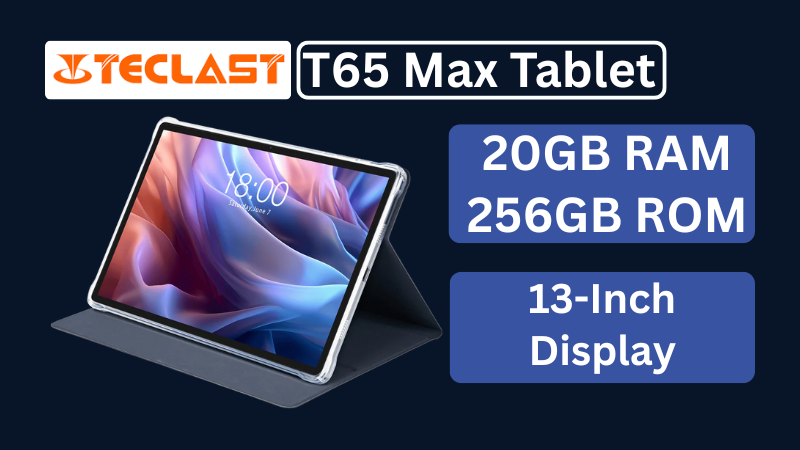
Teclast T65Max Tablet Review: A Feature-Rich 13-Inch Android Tablet on a Budget
The Teclast T65Max is a 13-inch Android tablet packed with features like 4G LTE, Helio G99 processor, Android 14, and a massive 10,000mAh battery — perfect for content creators and on-the-go users in 2025.

Popular Posts
10 Must-Have Security Settings for Smartphone
In today’s digital world, your smartphone is not just a communication device—it’s your wallet, identity card, camera, and personal diary.
15 Expert Reasons & Fixes for Why WordPress Is Slow While Saving or Publishing Posts
In today’s digital world, your smartphone is not just a communication device—it’s your wallet, identity card, camera, and personal diary.

