
✅ Press Mute key on your keyboard (usually Fn + F10 or dedicated key)
Or click the volume icon in taskbar and drag to 0.
But here’s a shortcut:
✅ Press Win + Ctrl + M (in Narrator) or use volume key toggles on modern keyboards.
Useful during sudden meetings or if music blares unexpectedly.
Try it now and mute like a boss!
#AudioControl #QuickMute #ShiftTips
You May Read This
-
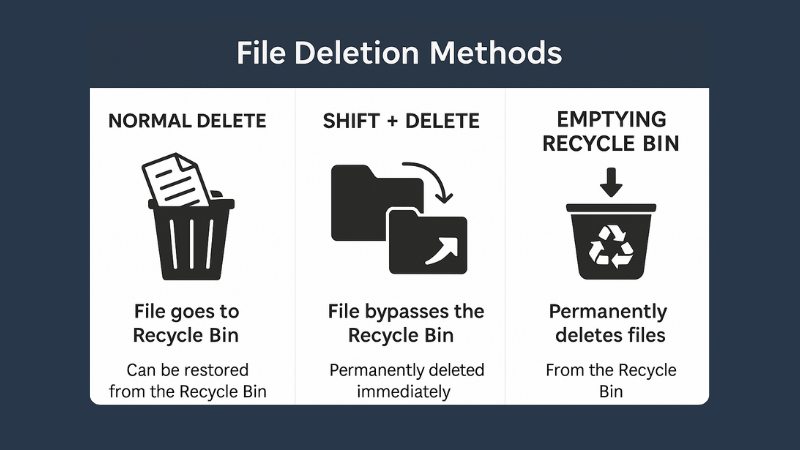
What is File Deletion: Know 3 Popular File Deletion Methods
What is File Deletion? We are going learn about what is file deletion in this article. File Deletion refers to […]
-
ShiftTips #007: Minimize All Windows Instantly
The Win + D keyboard shortcut in Microsoft Windows minimizes all open windows and applications to show the desktop.
-
ShiftTips #034: Open the Magnifier Tool
Press Win + Plus (+) to open Magnifier
Zoom in on text, buttons, or design elements. -
ShiftTips #033: Invert Colors on Windows
Ctrl + Win + C in Windows toggles color inversion, an accessibility feature that inverts screen colors to improve visibility for users with visual impairments.
-
✅ ShiftTips #059: Access Emoji Picker on ChromeOS
Add emojis on Chromebook in any text field.
-
ShiftTips #018: Open Action Center in Windows 10
Win + A is a Windows keyboard shortcut that opens the Action Center, providing quick access to notifications and customizable settings for efficient system control.



Popular Posts

10 Common Tech Beginner Mistakes: Everyone Should Know
Whether you’re a student, a working professional, or someone learning tech…

10 Pro Tricks on WhatsApp Text Formatting You Must Use
Whether you’re chatting with friends or sharing important messages in groups…