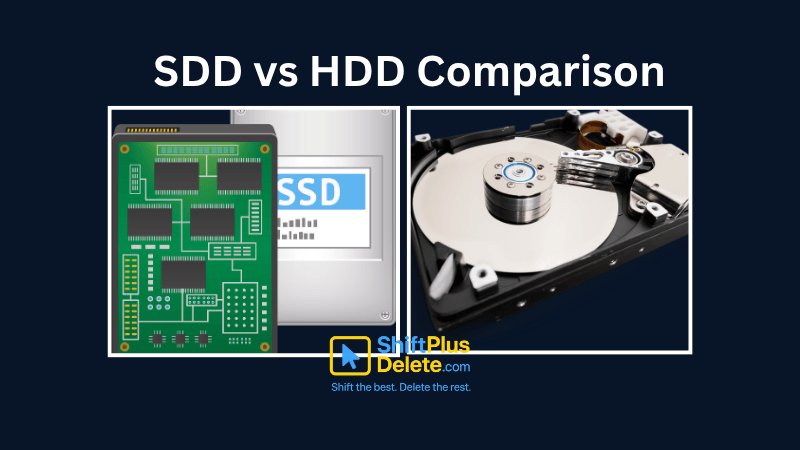
In today’s digital world, choosing the right storage for your computer is crucial. Two of the most common options are Solid State Drives (SSD) and Hard Disk Drives (HDD). This SSD vs HDD comparison will help you understand their differences, advantages, and ideal use cases to make an informed decision.
What is an SSD?
A Solid State Drive (SSD) is a modern storage device that uses flash memory to store data. Unlike traditional HDDs, SSDs have no moving parts, making them faster, more durable, and energy-efficient.
Advantages of SSDs
✅ Faster Performance: SSDs offer lightning-fast read/write speeds, reducing boot times and improving system responsiveness.
✅ Durability: No moving parts mean SSDs are more resistant to physical shocks.
✅ Energy Efficiency: Consumes less power, making them ideal for laptops.
✅ Silent Operation: No spinning disks mean zero noise.
Disadvantages of SSDs
❌ Higher Cost per GB: SSDs are more expensive than HDDs.
❌ Limited Lifespan: Flash memory has a finite number of write cycles.
What is an HDD?
A Hard Disk Drive (HDD) is a traditional storage device that uses magnetic platters and a moving read/write head to store and retrieve data.
Advantages of HDDs
✅ Lower Cost: HDDs provide more storage capacity at a cheaper price.
✅ Higher Storage Options: Available in large capacities (up to 20TB).
✅ Longer Lifespan for Archival Storage: Better for long-term data storage.
- ✅ ShiftTips #064: Use Focus Assist/Do Not Disturb
 Avoid distractions by turning on Focus Assist (Windows) or Do Not Disturb (Mac). Keep your workflow clean and uninterrupted.
 - ✅ ShiftTips #063: Take Screenshots Like a Pro
 Capture your screen in seconds using built-in shortcuts on Windows or Mac. No third-party tools needed — fast, simple, and effective.
Disadvantages of HDDs
❌ Slower Speeds: Mechanical parts cause slower boot and load times.
❌ Fragility: Moving parts make HDDs prone to damage from drops or shocks.
❌ Noisier and Power-Hungry: Spinning disks generate noise and consume more energy.
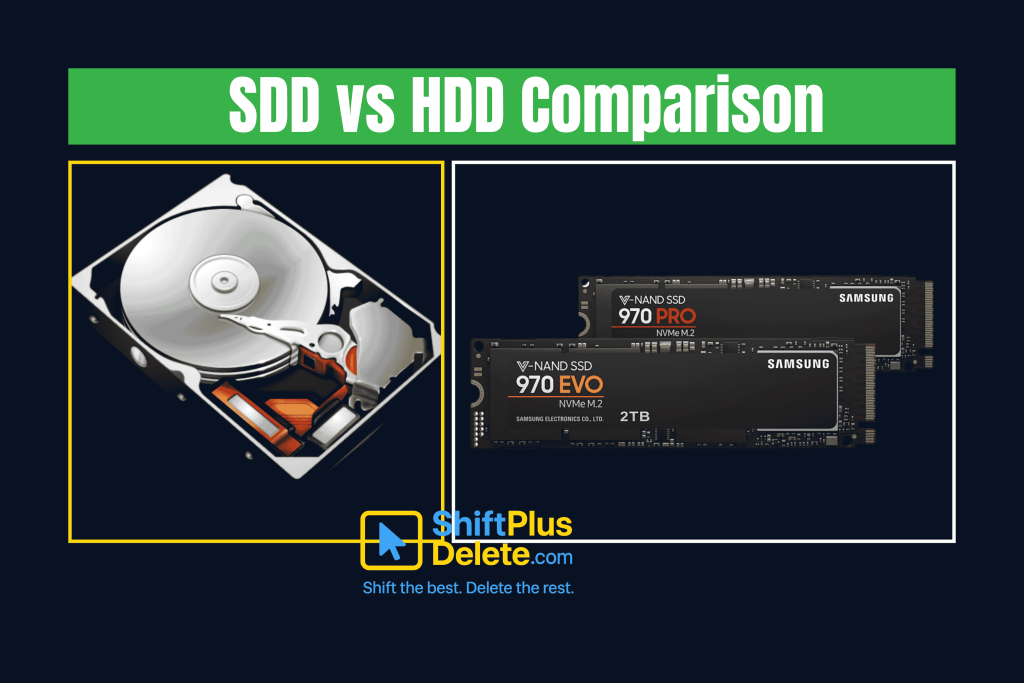
SSD vs HDD Comparison: Key Differences
| Feature | SDD | HDD |
|---|---|---|
| Seed | Extremely fast (500-3500 MB/s) | Slower (50-160 MB/s) |
| Durability | No moving parts, more reliable | Prone to mechanical failure |
| Noise | Silent | Audible spinning sounds |
| Power Use | Low energy consumption | Higher power draw |
| Price | Expensive per GB | Cheaper per GB |
| Capacity | Typically up to 4TB (consumer) | Up to 20TB available |
Which One Should You Choose? SSD or HDD?
Choose an SSD if:
- ✔ You need fast performance for gaming, video editing, or OS booting.
✔ You use a laptop and want better battery life.
✔ You can afford a higher price per GB.
Choose an HDD if:
✔ You need mass storage for backups or media files.
✔ You’re on a tight budget and need more space.
✔ You don’t require high-speed data access.
SSD vs HDD Comparison for Gaming
Gamers benefit from SSDs due to faster load times and smoother performance. However, HDDs are still useful for storing large game libraries due to their cost-effectiveness.
SDD vs HDD Comparison for Price
Here’s where HDDs have the upper hand — price per gigabyte. HDDs are far cheaper than SSDs, making them a popular choice for bulk storage.
| Storage Size | HDD Price (avg.) | SDD Price (avg.) |
|---|---|---|
| 1TB | $30 – $40 | $60 – $100 |
| 2TB | $50 – $60 | $100 – $200 |
| 4TB | $80 – $100 | $250+ |
SSD vs HDD Comparison for Laptops
Since laptops need portability and efficiency, SSDs are the better choice. They consume less power, reduce heat, and improve battery life.
SSD vs HDD Comparison for Servers
For enterprise storage, HDDs are often preferred due to their high capacity and lower cost. However, SSDs are becoming popular for databases requiring fast access.
Hybrid Approach: SSD + HDD Combo
Many users opt for a dual-drive setup:
- SSD for the OS and frequently used apps.
- HDD for bulk storage like photos, videos, and backups.
FAQ Section: SSD vs HDD Comparison
1. Which lasts longer, SSD or HDD?
HDDs can last longer in terms of write cycles, but SSDs are more durable against physical damage.
2. Can I replace my HDD with an SSD?
Yes! Swapping an HDD for an SSD is one of the best performance upgrades for an old PC.
3. Are SSDs worth the extra cost?
If speed and reliability matter to you, yes. For bulk storage, HDDs are still a cost-effective choice.
4. Do SSDs improve gaming performance?
Yes! Games load much faster, but FPS (frames per second) depends more on the GPU and CPU.
5. How many times can an SSD be written to?
Most modern SSDs last several hundred TBs of writes, which is sufficient for average users for 5-10 years.
Conclusion: SSD vs HDD Comparison
The SSD vs HDD comparison boils down to speed vs cost. If you want performance, go for an SSD. If you need cheap storage, an HDD is still a viable option.
For the best of both worlds, consider a hybrid setup with an SSD for your OS and an HDD for files.By now, you should have a clear understanding of SSD vs HDD comparison and which one suits your needs. Let us know in the comments which one you prefer!
You May Read This:
-
✅ ShiftTips #064: Use Focus Assist/Do Not Disturb
Avoid distractions by turning on Focus Assist (Windows) or Do Not Disturb (Mac). Keep your workflow clean and uninterrupted.
-
✅ ShiftTips #063: Take Screenshots Like a Pro
Capture your screen in seconds using built-in shortcuts on Windows or Mac. No third-party tools needed — fast, simple, and effective.
-
✅ ShiftTips #062: Turn On Night Light/Shift
Enable Night Light (Windows) or Night Shift (Mac) to cut blue light and sleep better. Simple steps make it quick and effective.
-
✅ ShiftTips #061: Boost Your Flow Master Alt+Tab Like a Ninja
Jump between apps like a ninja — no mouse needed.
-
✅ ShiftTips #059: Access Emoji Picker on ChromeOS
Add emojis on Chromebook in any text field.